The agent-native data app framework
Built in Python.
Made for people and agents.
pip install streamlitOpen source
import streamlit as st
from metrics import REGIONS, kpis, by_month

st.title("Net revenue")
st.caption("Excludes refunds. Amounts in EUR.")

with st.container(horizontal=True):
    region = st.selectbox("Region", REGIONS)
    quarter = st.segmented_control(
        "Quarter", ["Q1", "Q2", "Q3", "Q4"],
        default="Q3", required=True,
    )

k = kpis(region, quarter)
grid = st.grid(3, border=True)
grid.metric("Revenue", k.revenue, k.revenue_delta)
grid.metric("Orders", k.orders, k.orders_delta)
grid.metric("Avg. order", k.aov, k.aov_delta)

st.bar_chart(by_month(region), x="month")
Net revenue
Excludes refunds. Amounts in EUR.
Revenue
€4.11M
↓ 13.8%
Orders
18.4k
↑ 2.2%
Avg. order
€223
↓ 15.7%
Why did net revenue in Europe fall in Q3?
- Set Region to “Europe” and Quarter to “Q3”
- Read 3 metrics and 1 chart as data
Net revenue fell 13.8% to €4.11M against the previous quarter. Orders rose 2.2%, so most of the change comes from the average order value, which fell 15.7%. As the dashboard notes, these figures exclude refunds.
The assistant used the app itself: the same query, the same cached data, and the same access rules as the dashboard. No second API.
The No. 1 Python framework for data apps and dashboards
Millions of people use it, at thousands of companies, from two-person startups to global enterprises.
- GitHub repositories depend on itGitHub dependents page, November 2026
- 1M+
- Library for creating dashboardsPython Developers Survey 2024 by the PSF and JetBrains
- No. 1
- Downloads in the last monthPyPI via pypistats.org, November 2026
- 23M+
- GitHub starsGitHub, November 2026
- 46k
What teams build
Dashboards, forecasting, and workflow apps
- Live demo
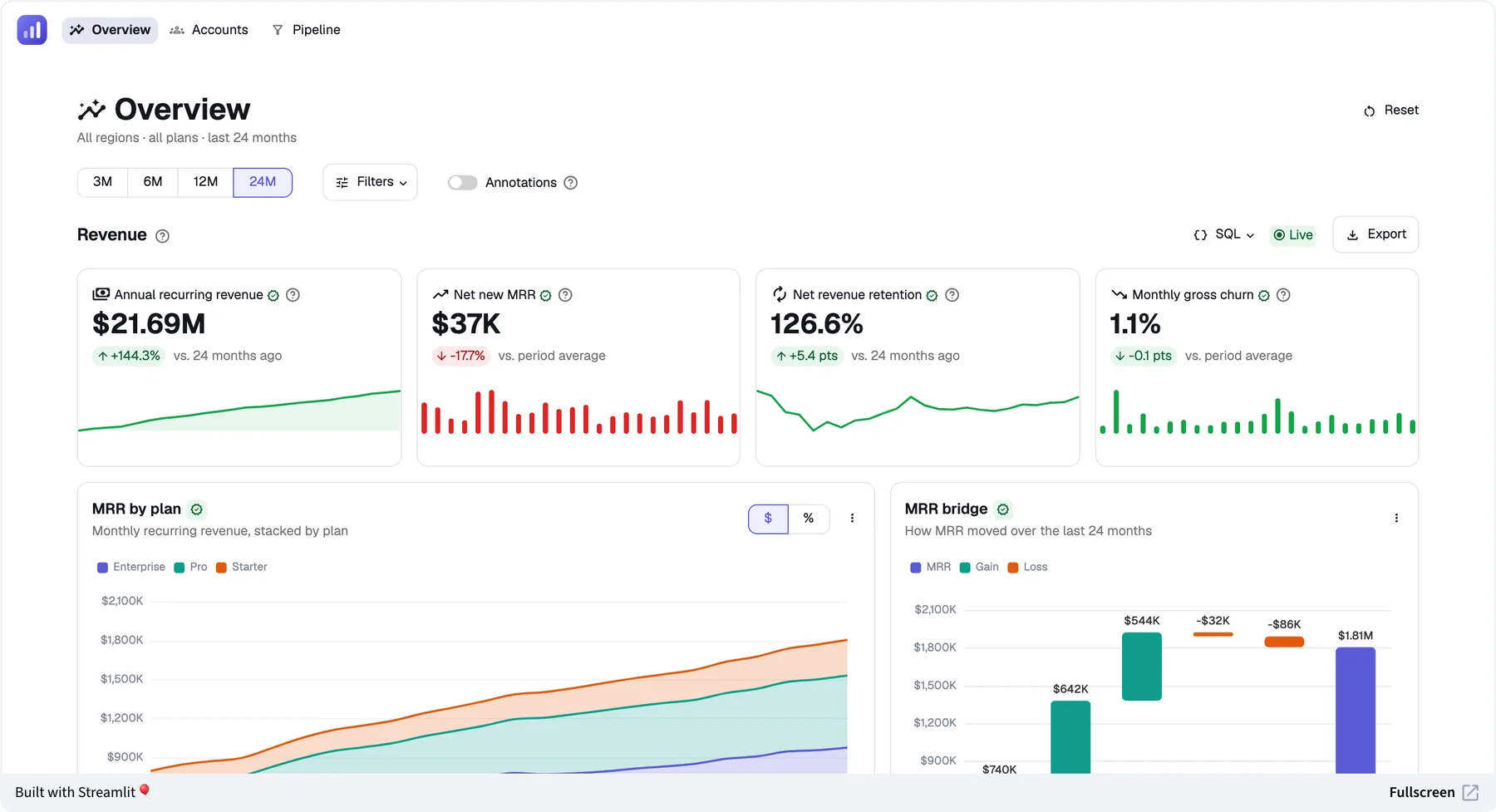
Dashboards
KPI dashboards with drill-down and cross-filtering
Product metrics, operating views, and live monitoring over large tables, on any data source. Built with your coding agent, on logic your team can read. - Live demo
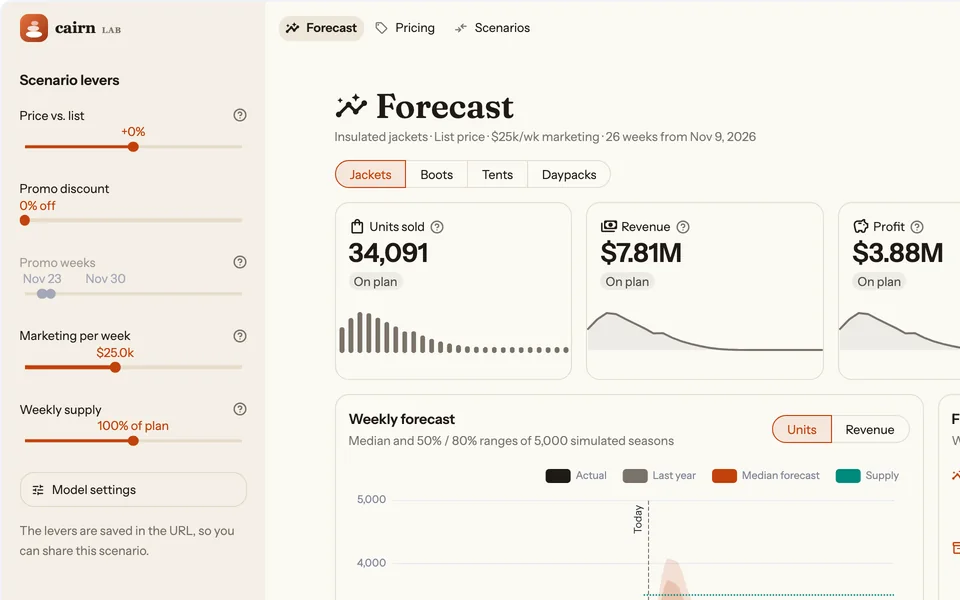
Forecasting apps
Simulations and models with what-if levers
Scenario planning, pricing and demand simulators, and churn and risk models. The computation and the interface are the same Python. - Live demo
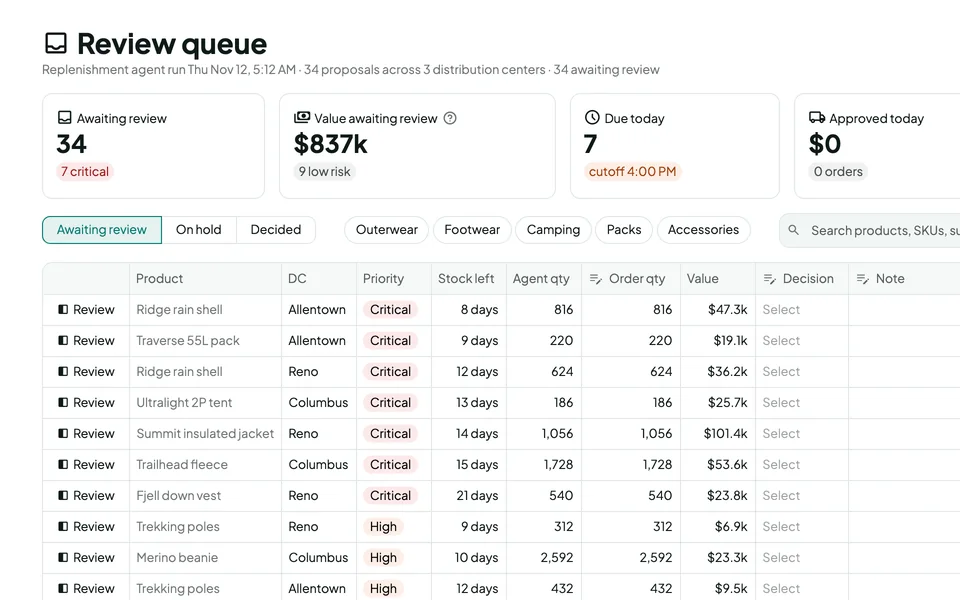
Workflow apps
Review queues, approvals, sign-offs, and writeback
Including approving what an AI agent proposes. The decision happens in the same app as the data, checked by the same Python logic that produced the numbers.
Why Streamlit
Generating an app is cheap.
Owning it isn't.
An agent can generate a React frontend and a Python API in minutes. Then you own both, the contract between them, a few hundred frontend packages, and numbers that have to stay right as the logic changes.
Streamlit apps are plain Python your data team can read, with a consistent, accessible design and no frontend or API layer to write. Every upgrade improves all of your apps at once, security fixes included, so a hundred apps don't mean a hundred upgrade projects.
Developers write any logic they need. Security and platform teams review the framework once, so each app's own review stays small.
When a custom stack is the better choice
- The UI itself is the product
- The app is customer-facing at large scale
- It must be mobile-first or work offline
- It needs a design that Streamlit's theming and custom components can't reach
Streamlit
Python
- app.py
- metrics.py
- .streamlit/
- config.toml
- Batteries included, no npm tree
- Authentication, caching, and state built in
- Already a tool for agents
A custom stack
TypeScript and Python
- web/
- package.json
- src/pages/revenue.tsx
- src/components/KpiCard.tsx
- src/components/RevenueChart.tsx
- src/hooks/useRevenue.ts
- src/api/client.ts
- api/
- main.py
- routes/revenue.py
- schemas.py
- auth.py
- cache.py
- Two toolchains and a large npm tree
- Authentication, caching, and state assembled per app
- A second API for agents
Agent skills, built in
Built for coding agents
One command
Installs the skills for Claude Code and for agents that read the shared.agentsfolder. Then ask for a Streamlit app.Less code to own, fewer places to break
No frontend, API contract, or build setup to generate. Compared with a custom stack, each app has less to maintain and fewer places to break, and it takes fewer tokens to write and change.Agents verify their own work
They drive the running app without a browser and read its numbers back as data, before you review the change.
- YouBuild a Streamlit dashboard over the orders table, with region and quarter filters.
- On it, with Streamlit's skills.
Plain Python, cached queries, and filters you can share by URL. - app.pymetrics.py
Give your agent Streamlit's skills
streamlit skillsAfter installing the latest Streamlit.
Plain Python your team can read, review, and change.
For people and agents
Write your business logic once. People get an app. Agents get a tool.
Ask the forecast app what happens at +5% price
An assistant sets the price lever and reads the forecast back as data, computed by the app's own model.Let an agent draft the approvals for your review
It fills in the review queue through the app's own forms and validation. You make the call.Find out why this week's numbers moved
Ask in Claude or ChatGPT, and the answer comes from the dashboard's own numbers and definitions.
Made for data, built for dashboards
Streamlit solves the hard parts of dashboards for every app
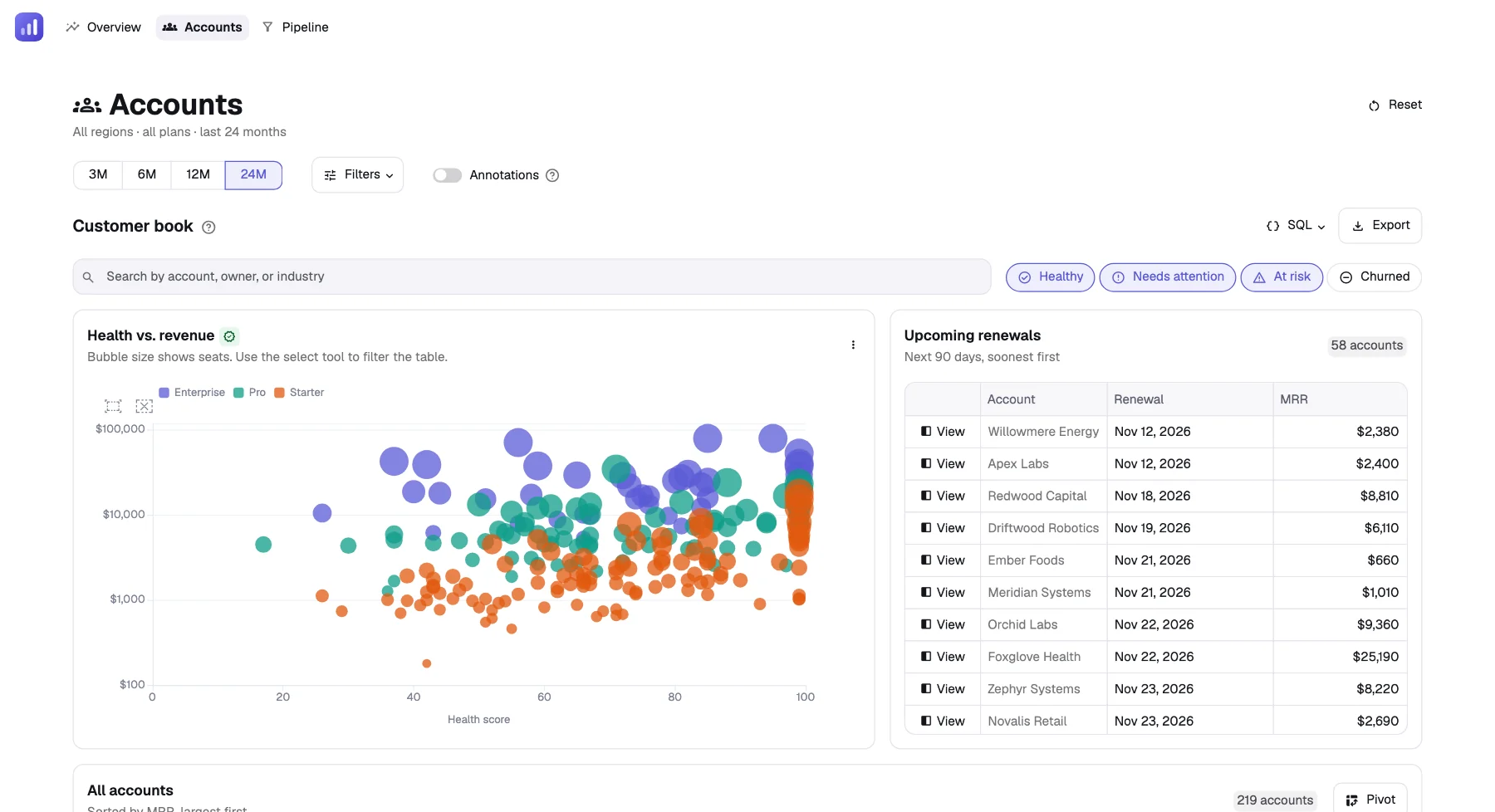
Large data, fast
Tables load rows as people scroll. Page sections load in parallel. Cached data refreshes in the background, so nobody waits on a stale query.Snappy interactions
Only the section that changed reruns. Inputs can skip reruns until people apply their choices, so heavy queries run once.Rich exploration
Select points on a chart or rows in a table to cross-filter and drill down. Every filter and view can be shared by URL.Native charts
KPIs with sparklines, standard and statistical charts, maps, diagrams, and charts inside tables, all built in and styled by your theme.
In production
From one team's dashboards to 500 production apps
Open Insurance
30 dashboards moved in one month
Two engineers moved 30 dashboards to Streamlit in one month, remodeling the data to consistent definitions on the way. The team now spends half as much time creating dashboards as in its previous custom environment.Snowflake
More than 500 production apps
Streamlit apps serve teams across Snowflake, from finance to security. The finance team plans ten years out in Snowplan, a Streamlit app with editable assumptions, scenarios, and review and approval.
Coming from a BI tool?
Move the dashboards your teams rely on to Streamlit as a modernization, not a one-to-one copy. They gain your Python models and logic, writeback through that same logic, and access for AI agents. On Snowflake, they keep your governed data and access controls.Best on Snowflake
Streamlit runs natively inside Snowflake. Your data stays on the platform, Snowflake's access controls apply, and Cortex Code builds the app for you.
Frequently asked questions
Get started
Your next data app starts right here.
01Install Streamlit.
pip install streamlit02Give your coding agent the skills.
streamlit skills03Or say hello to your first app.
streamlit hello
You're set. Ask your agent for the Streamlit app you need.
Just looking around? Try Streamlit in your browser ↗